Odoo field sales for FMCG distributors.
Your salesmen book orders and take cash or cheques on their phones, with or without signal. The work queues on the phone and reaches Odoo when coverage returns, where the office invoices it on the day's round and posts the money when the bag is counted.
Two apps from the Odoo App Store. The Field Sales App is the phone half; it requires Distribution Management, which runs the office half: routes, the Daily Market Schedule, invoicing and collection sheets.
Field Sales App
The App Store prices this listing together with the Distribution Management it requires, so $898.00 buys both. Installs as a web app from your own Odoo; an optional Android package is available on request.
View on the Odoo App Store ↗Distribution Management
Territories, route masters, the Daily Market Schedule, invoicing per round, collection sheets and the cheque register. Buy it alone if you do not need the phone app yet.
View on the Odoo App Store ↗Prices as the Odoo App Store shows them to a signed-out visitor on 21 November 2026. Each is a per-database licence. The listings also cover Odoo 17 and 18, but those builds are no longer developed and lack steps shown below, such as the receipt number on a payment; this page describes the Odoo 19 and 20 builds. Both are custom modules, so they run on-premise or on Odoo.sh; Odoo Online does not accept custom modules.
We drove this round ourselves on Odoo 19 on 21 November 2026, with test shops and products, and checked each record in the database afterwards. The phone screens are the app in a phone-sized browser with the network switched off.
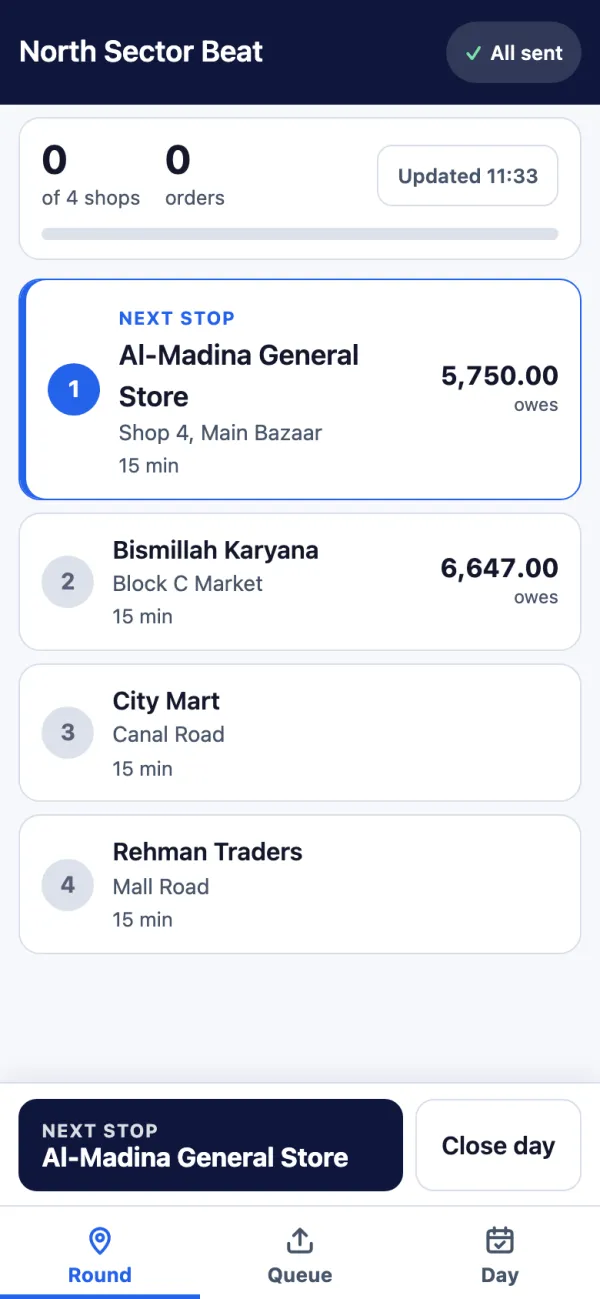
The day's round, pulled once.
The salesman opens the app at the depot. It downloads today’s round in one go: the shops in the order they are walked, the products he may sell at each shop’s prices, and what every shop still owes.
Two of our four test shops owed last week’s bills: 5,750.00 and 6,647.00.
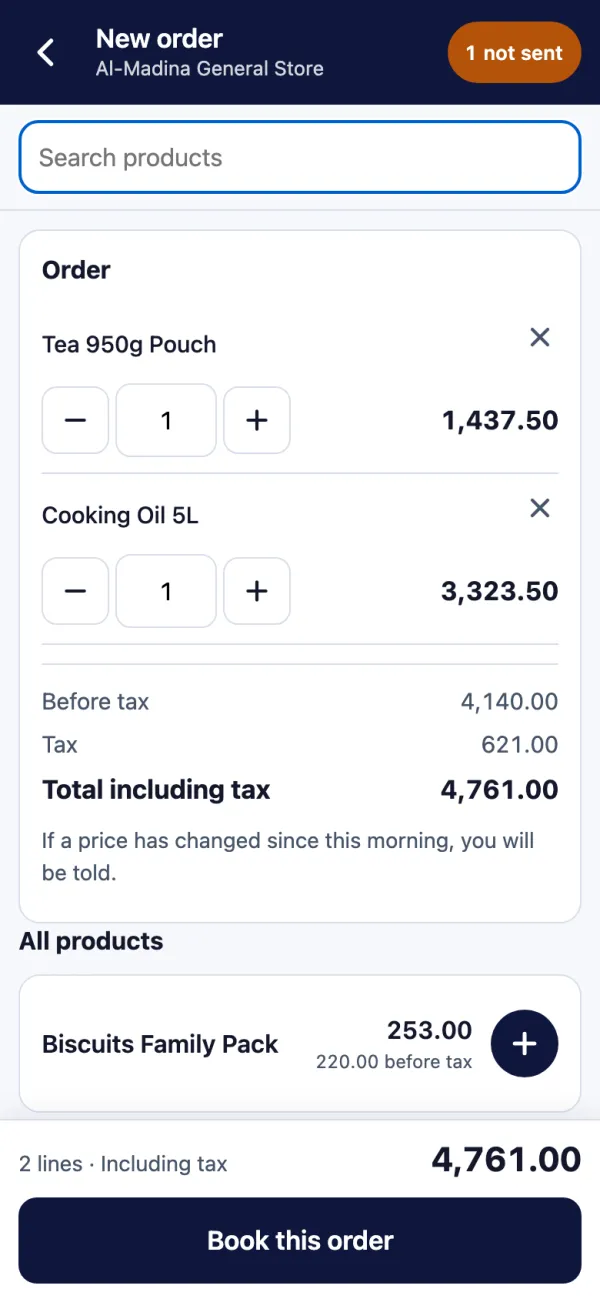
An order, booked with no connection.
With the network off, he checks in at the shop and books tea and cooking oil. The basket shows the figure before tax, the tax and the total, here 4,761.00. The check-in already sits on the phone as “1 not sent”.
Odoo prices the order again when it arrives, and the salesman is told if its figure differs from the phone’s.
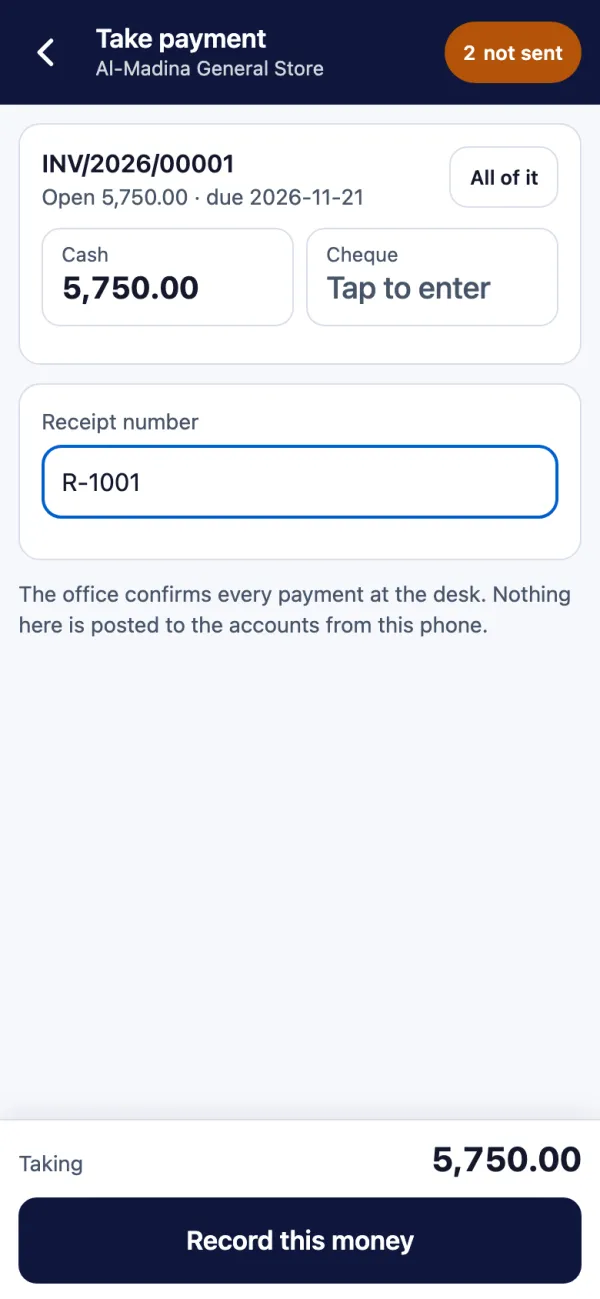
Cash against the open bill, with a receipt number.
“All of it” fills the bill’s open amount, and he types the number of the receipt he hands the shopkeeper. The phone records the money for the office; it never posts a payment itself.
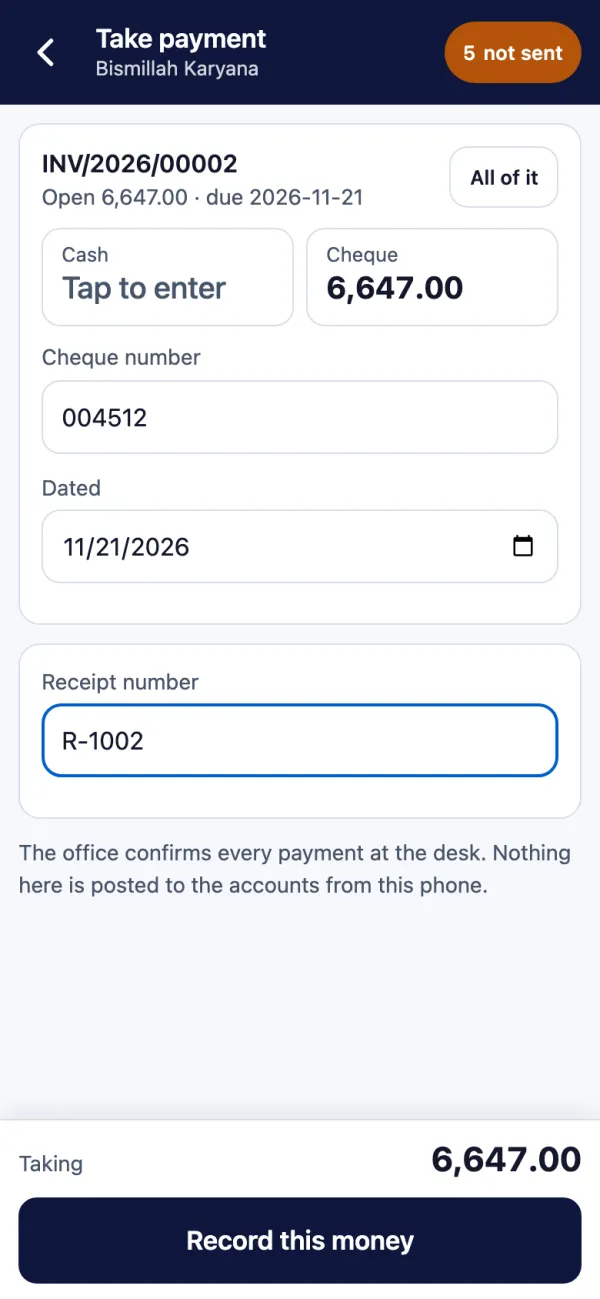
A cheque, with its number and date.
At the next shop the bill is paid by cheque. The cheque number and its date go in with the amount, and the cheque later appears in Distribution Management’s cheque register.
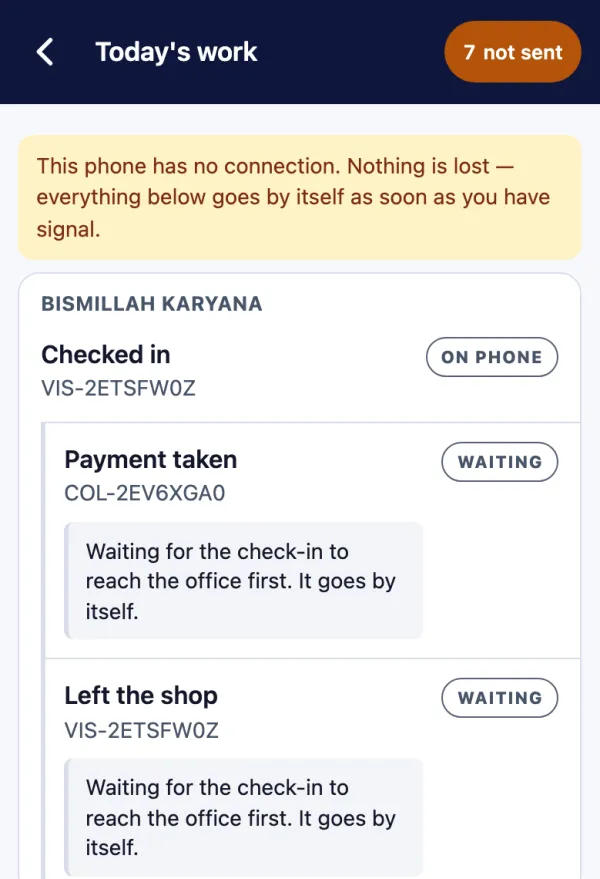
Seven actions, waiting on the phone.
Two check-ins, the order, two payments and two check-outs wait in the phone’s queue. Each one waits for its shop’s check-in to go first. The app also sends the queue by itself when signal returns and every two minutes, or at once from this screen.
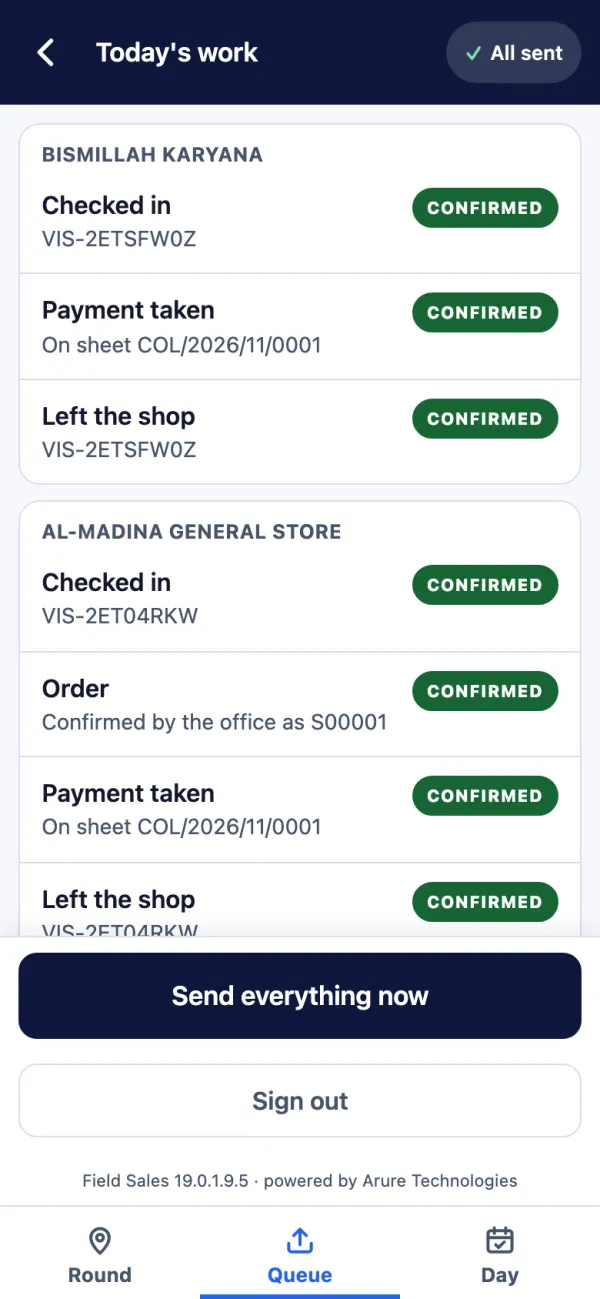
All sent, nothing booked twice.
Back in coverage, we pressed Send everything now, and within seconds all seven actions were confirmed. The order reached Odoo as quotation S00001 on the day’s round, marked as booked offline, with the time it was booked at the counter kept apart from the time it arrived.
Both payments landed on one draft collection sheet for the round.
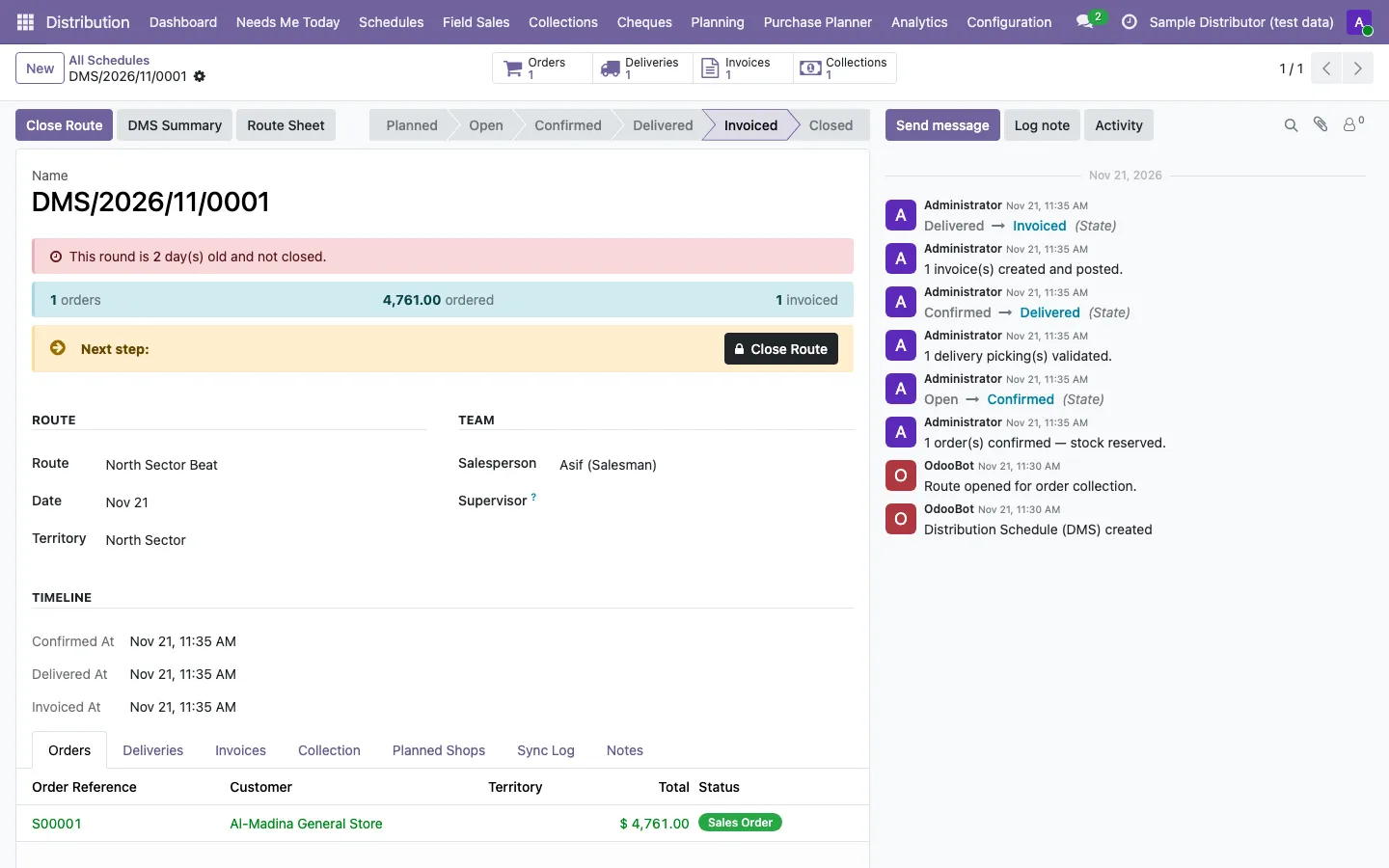
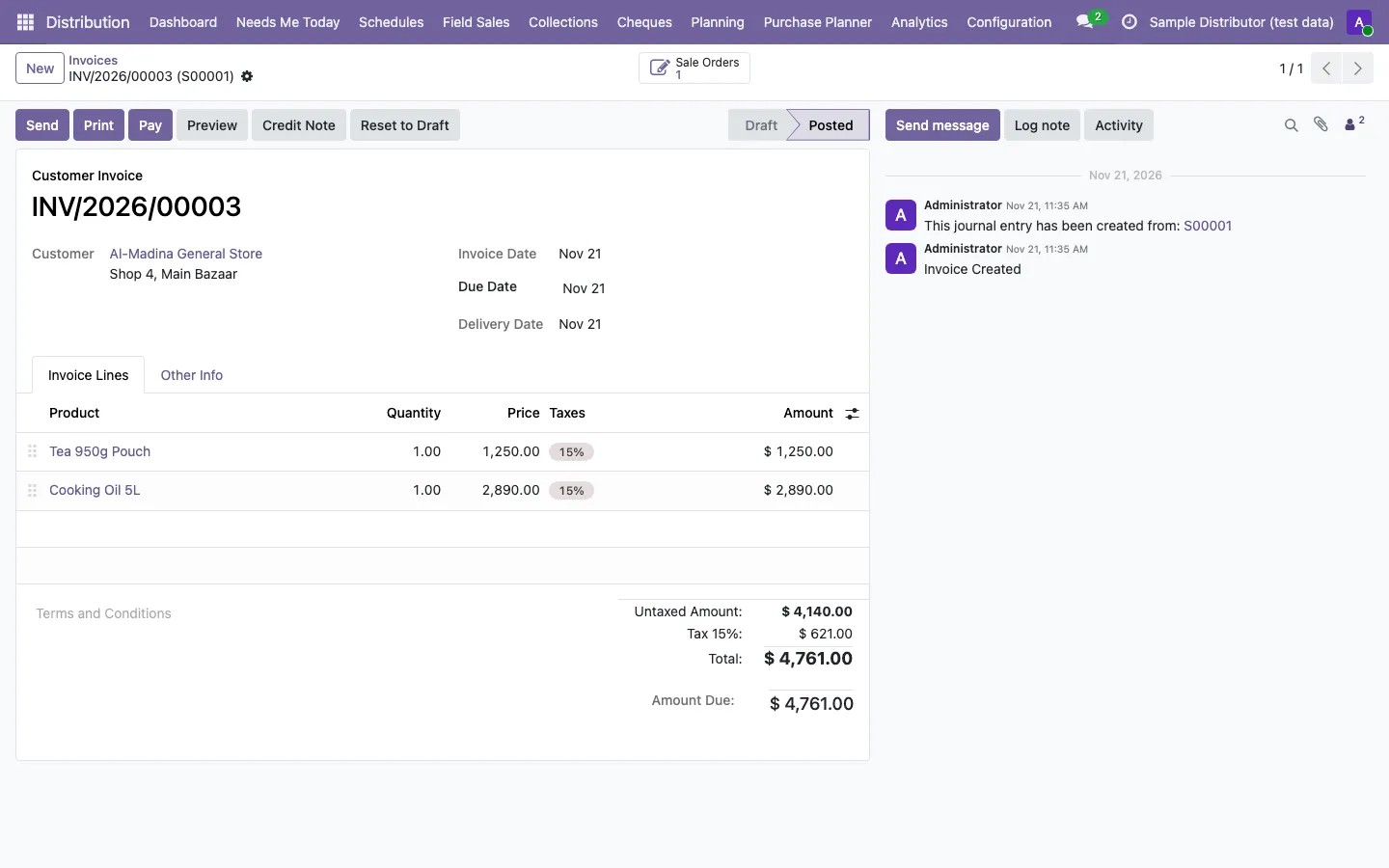
Confirmed, delivered, invoiced on the round.
On the day’s round, the office presses Confirm All Orders, Validate Deliveries and Create Invoices. The invoice bills what was delivered and is posted at once. It is now on the shop’s balance for the salesman’s next call.
He counts the bag before he sees the total.
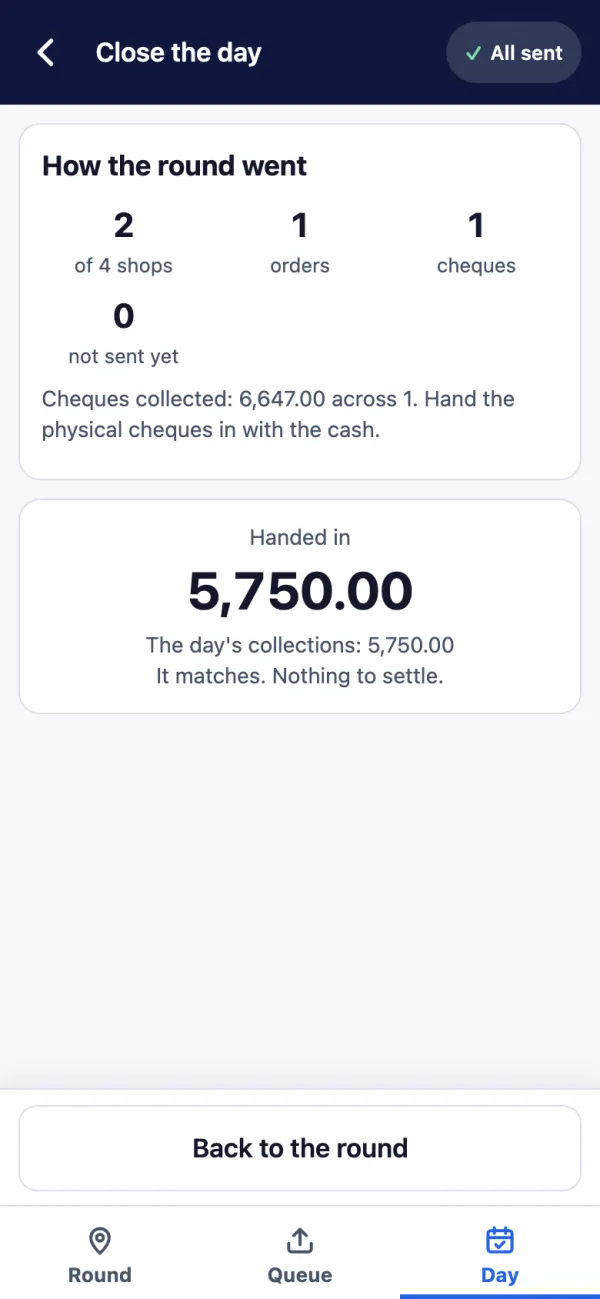
The salesman types the cash in his bag first and only then sees what the day says he collected. A difference is recorded, not refused. Here 5,750.00 matched, and the screen lists the cheque he hands in with it.
Signed off, and the money is posted.
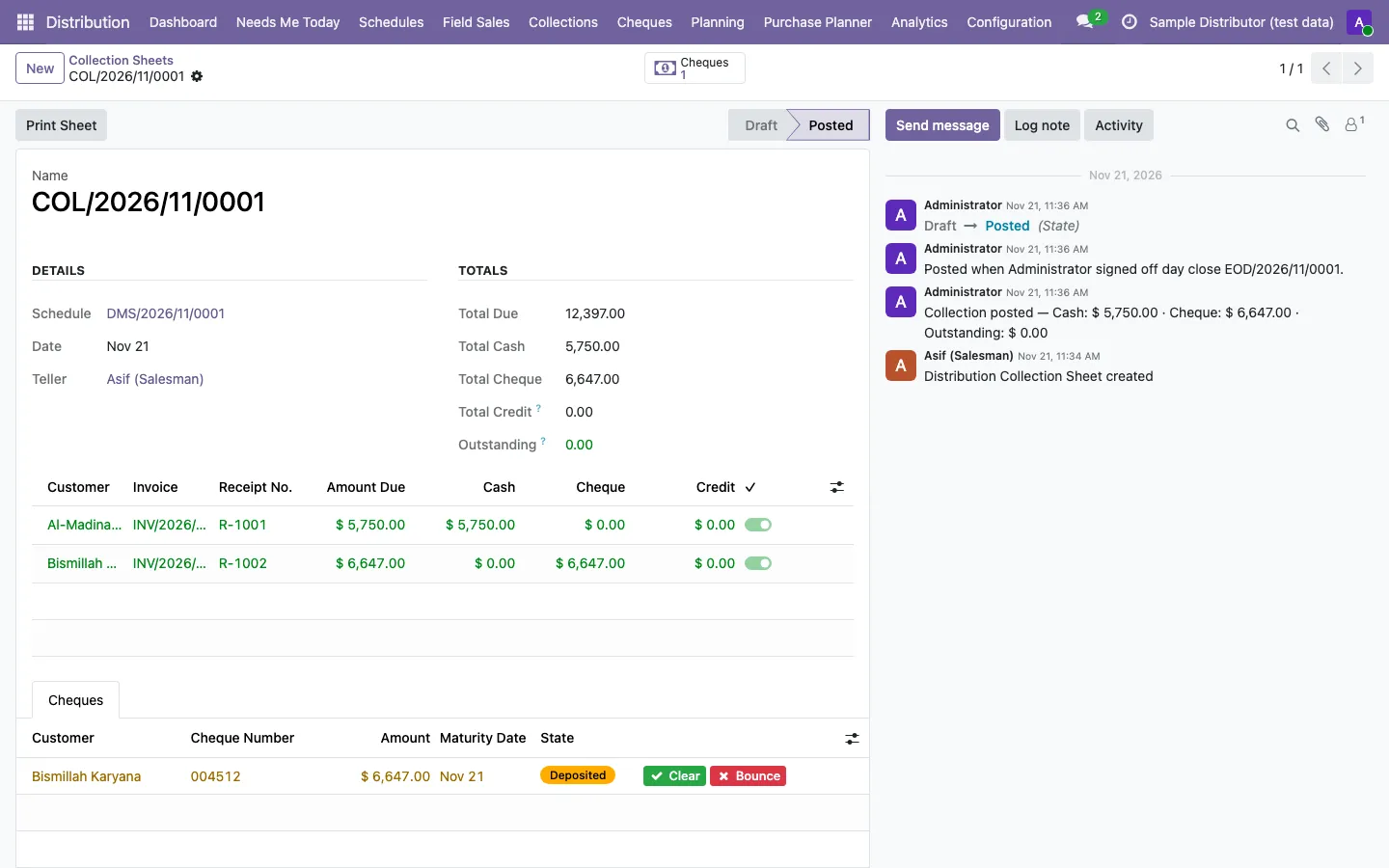
The cashier counts the bag and presses Counted — Sign Off & Post Collections. That posts the round’s collection sheet: a cash payment of 5,750.00 and a payment of 6,647.00 for the cheque, and both of last week’s bills now read as paid.
Our first sign-off was refused because the test company had no cash journal. Nothing was posted until we added one.
Tested
- The round above, on Odoo 19 Community with Field Sales App 19.0.1.9.5 and Distribution Management 19.0.0.8.6, driven in a phone-sized browser on 21 November 2026, with every order, invoice, collection line and payment checked in the database.
- The offline round trip inside the optional Android app, on an Android emulator over HTTPS (4 September 2026, build 19.0.1.5.4, before the 1.8.0 queue changes): five shops worked with no signal, the app force-stopped and reopened offline, then reconnected. All 20 queued actions were confirmed, with no duplicate orders.
- On-premise Odoo 19 Community.
Not yet tested
- A physical Android handset. Test the offline round trip on your own phones before relying on it.
- An iPhone.
- Odoo.sh, and Odoo 19 Enterprise.
It needs
- Your Odoo served over HTTPS. Offline mode depends on browser features that only work on a secure connection; on plain HTTP the app runs but says it has no offline mode.
- On-premise Odoo or Odoo.sh. Odoo Online does not accept custom modules.
- Distribution Management set up first: territories, route masters and customers. Each salesman then gets one Field Agent record with his own switches for booking orders, taking cash and taking cheques.
It does not do
- Van stock and load-out. A salesman can hand over goods only against a delivery the office has already confirmed.
- Signature capture as proof of delivery, returns and damages, or shelf surveys and photos.
- Continuous location tracking. Location is taken once per visit, at check-in.
See this round on your own routes.
Tell us how many salesmen and routes you run and which Odoo version you are on. We will walk you through the app and the office side live, and tell you plainly where it does not fit.
A free app for product and price labels on A4 and US Letter sheets, and a $49 designer for your own layouts.
Read the guide →POS closing and cash auditVoided lines and deleted orders logged, cash withdrawals booked to their own account, and the drawer difference on a report.
Read the guide →